I just deployed Aria automation and was busy configuring my deployment. When I tried to make a connection to VMC on AWS I received this “Invalid API token” error.

What I forgot was, that although I had all the connectivity I needed on my jump server. I needed a proxy server for my appliances.
So I checked the proxy config on my appliance and indeed I see that nothing is configured for my upstream proxy.vracli proxy show

You set your proxy config with => vracli proxy set --host http://172.17.1.195:6666
And VERY important you need to apply your proxy config with this command => vra proxy apply

If you now retry your connection to VMC on AWS you will see that your SDDC name gets populated and you no longer get the error message about an invalid API token.

Troubleshooting
If you messed up your config you can simply delete it with => vra proxy delete
When you run a show command you will now get an error, but it will say what you need to do to set the default config => vracli proxy set-default

If you then do a new show command you will get your default config

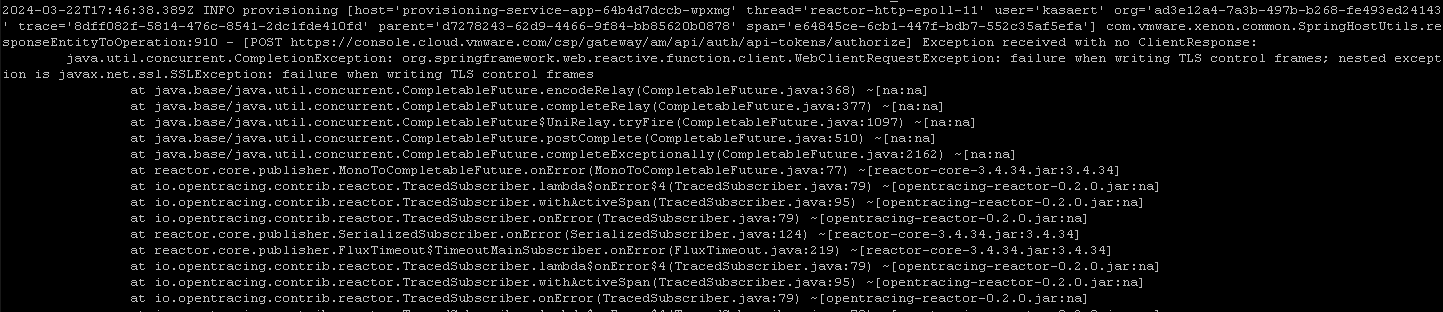
If you still have issues with your connection you can go check this log for further investigation => /var/log/services-logs/prelude/provisioning-service-app/file-logs/provisioning-service-app.log
The errors I got, were off course related to my proxy that wasn’t configured.
Another good log is => /var/log/services-logs/prelude/proxy-service/console-logs/squid-proxy.log Here you can see more detailed information about the connections he’s trying to make.

 Kristof's virtual life