You can tell it’s my first year I have a homelab. I never thought of expiring certificates nor did I see any messages in the vCenter console about certificates expiring.
My issue started with this “HTTP Status 500 – Internal Server Error”

Now, how can you check the status of your certificates? You can run this command:for store in $(/usr/lib/vmware-vmafd/bin/vecs-cli store list | grep -v TRUSTED_ROOT_CRLS); do echo "[*] Store :" $store; /usr/lib/vmware-vmafd/bin/vecs-cli entry list --store $store --text | grep -ie "Alias" -ie "Not After";done;
When I executed it we were the 8th of february 2023, so you can see that my machine SSL certificate was expired.

You can replace your expired certificate by executing:/usr/lib/vmware-vmca/bin/certificate-manager
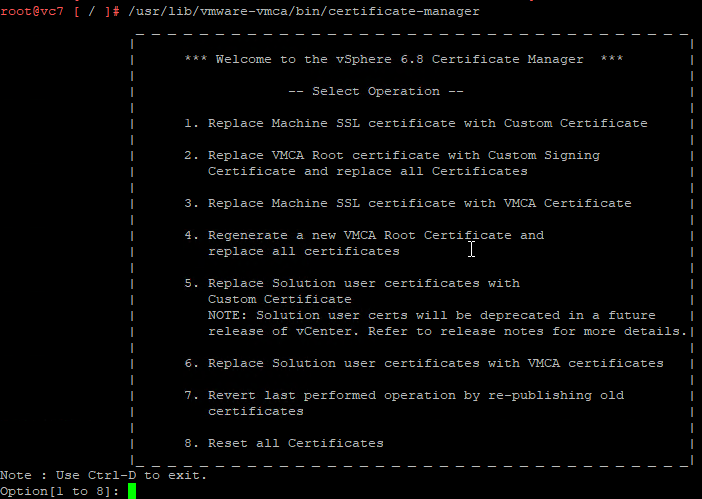
Because I only need to replace my Machine SSL certificate, I choose option 3.
In my case it’s a self-signed certificated so I just accepted the default values.
Only for “Hostname” & “VMCA Name” I’ve filled in the value of my vCenter.
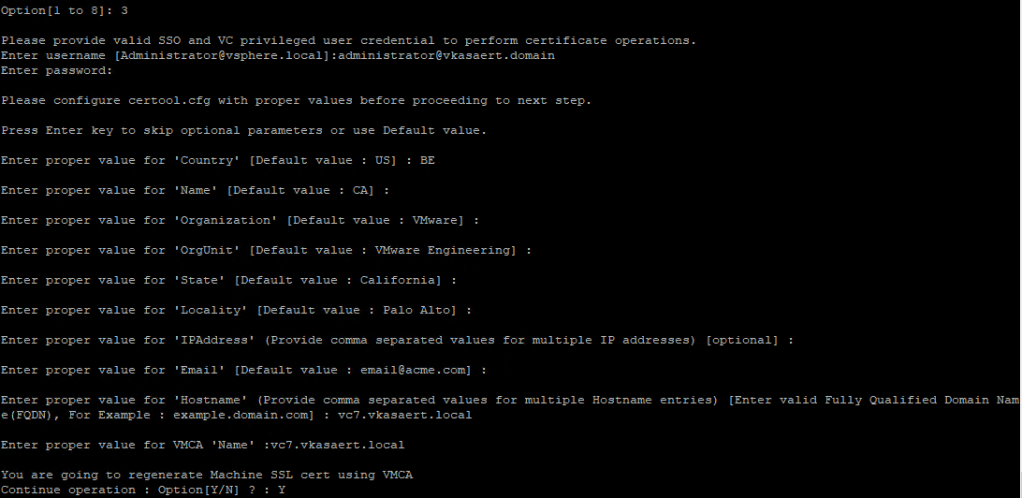
Then when everything is filled in just press Y to continue the process.
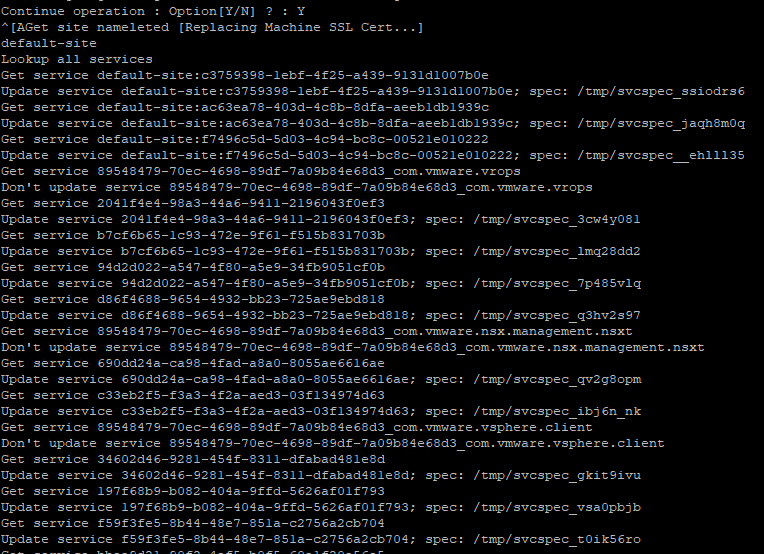
Unfortunately it ended with an error while starting the services again.
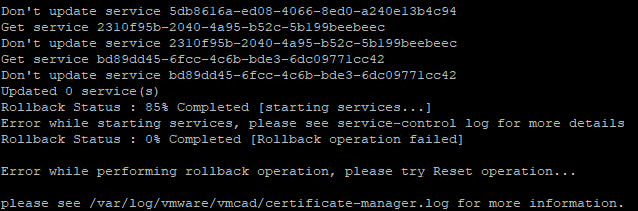
I checked the certificate-manager log but didn’t find much more information over thereless /var/log/vmware/vmcad/certificate-manager.log
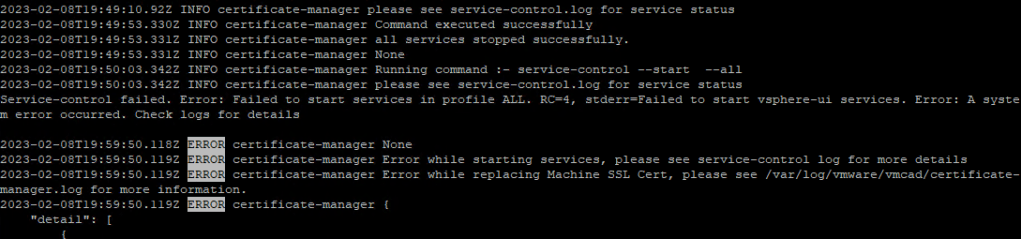
And also the service-control log didn’t give me much more infoless /storage/log/vmware/cloudvm/service-control.log

Tried to restart the services but that didn’t work eitherservice-control --start --all
Then I decided to to a Reset of all Certificates by starting the certificate manager again but now I choose option 8.
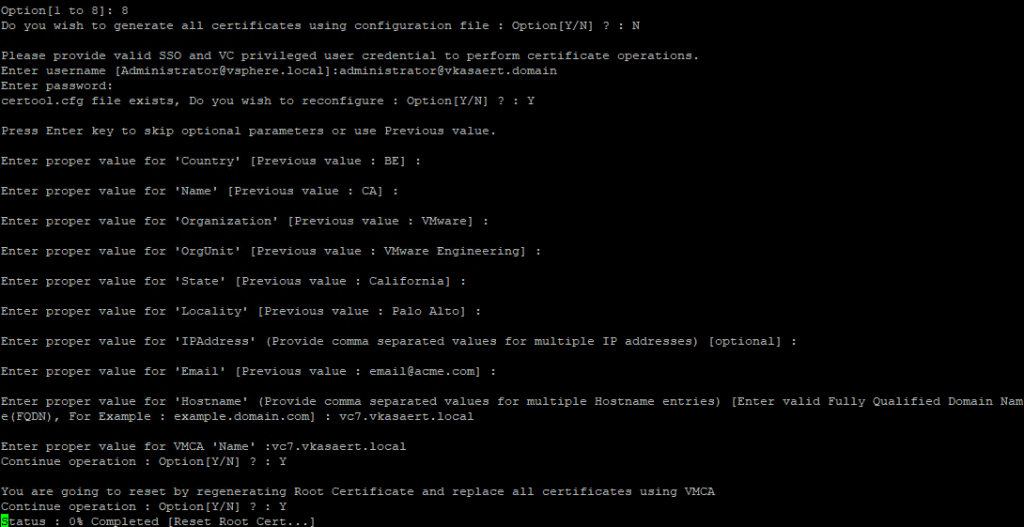
After a reboot it was still not ok, getting the status of all services showed me that vshpere-ui wasn’t started.service-control --status --all

There is a tool from VMware called lsdoctor you can use to fix trust issues with certificates => kb80469
Upload it to your vCenter and unzip it, then run:python lsdoctor.py -l
As you can see in the printscreen he found some SSL trust mismatches and he told me to execute: python lsdoctor.py -t
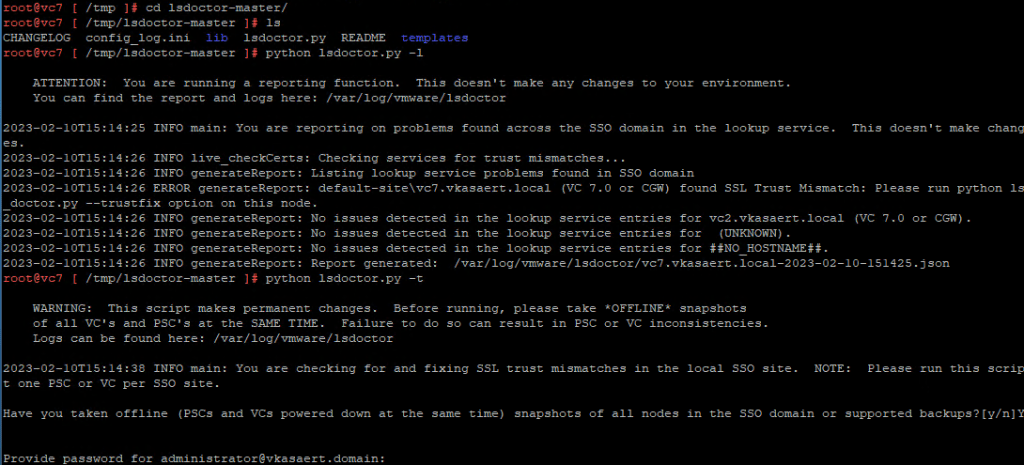
Once the command was executed, I was able to start my services again.
And I had again access to my vCenter 🙂
 Kristof's virtual life
Thanks a lot for this article. I am reviewing/auditing a customer’s infra and some of their certificates are about to expire in 3 weeks: Machine, webClient & vpxd’s certs. Thnaks for reminding me of lsdoctor too, this will help.
Julien
LikeLiked by 1 person
Thanks for the article! Helped me alot!
LikeLike
Glad that it helped 😁
LikeLike
Hello,
how to “Upload it to your vCenter and unzip it” ?
Also by SSH ? If yes, how does it work?
LikeLike
Hey Akal,
You execute these commands on your vCenter. So there’s no need to upload any certificates to your vCenter.
LikeLike
I’m using putty to connect to my vCenter. I got this:
root@localhost [ ~ ]# python lsdoctor.py -l
python: can’t open file ‘lsdoctor.py’: [Errno 2] No such file or directory
LikeLike
Hey Akal,
The lsdoctor is indeed a tool you need to download.
It’s a zip file you can copy to your vCenter with eg. WinSCP.
In my post there’s a link to the VMware KB article where everything is explained.
LikeLike
Thank you, this was very useful to me for a similar issue. In our case the problem was an expired root CA, and the old trusted root CA was “stuck” in the trusted certificate store, and we had to remove it manually using this method before adding the new machine cert:
https://kb.vmware.com/s/article/2146011
LikeLike